CHAZ ORTIZ - COMPUTER SCIENCE


TensorFlow Lite AI Image Identification

TensorFlow Artificial Intelligence Image Identification

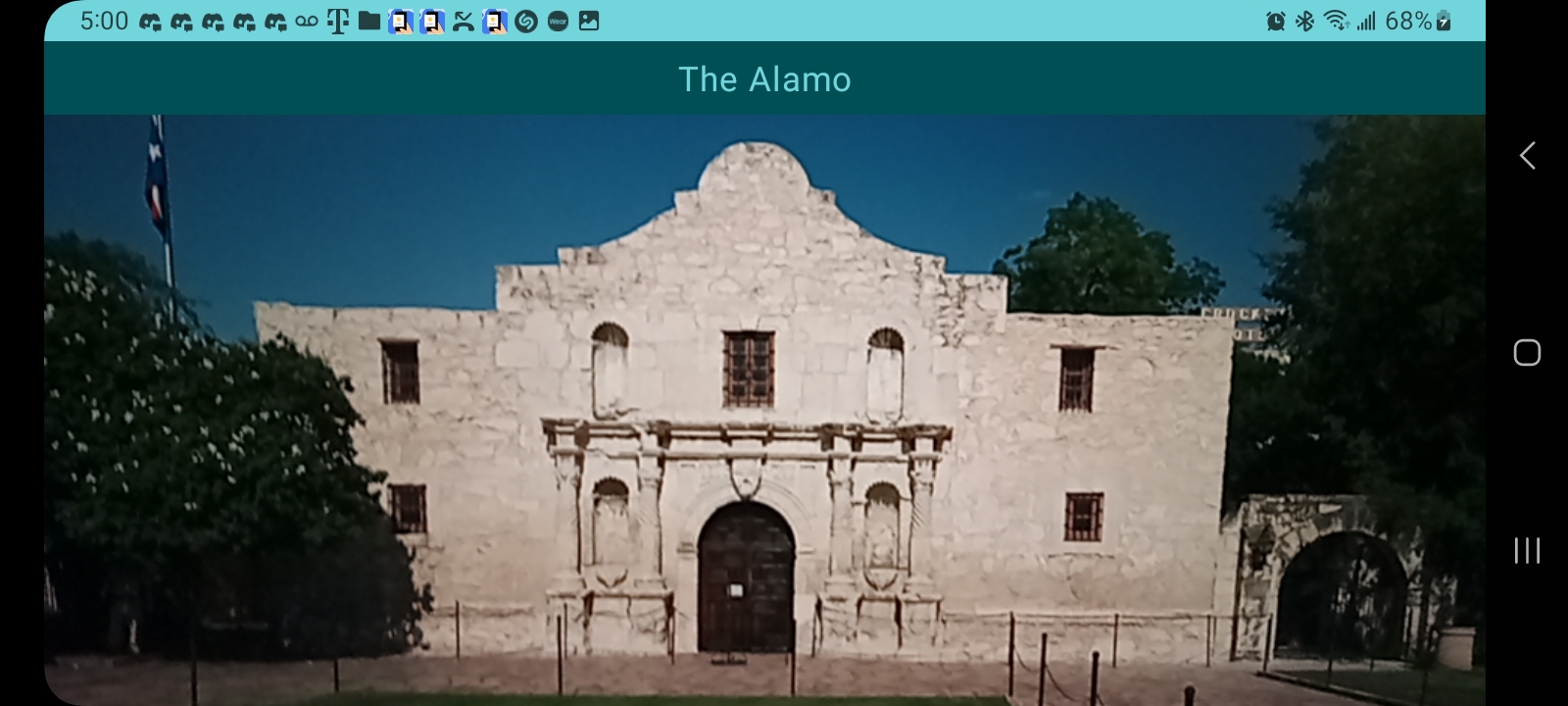
This project began as a photo and video application that accesses the user's cell phone camera and microphone to record video or take photos, then save them in a gallery for the user to view. I later used TensorFlow Lite to add a machine learning model to the project. Now, the program is capable of performing an image-by-image analysis of the video stream, and identifies images of famous North American architecture.

Model-View-Controller Architecture

Model-View-Controller Architecture

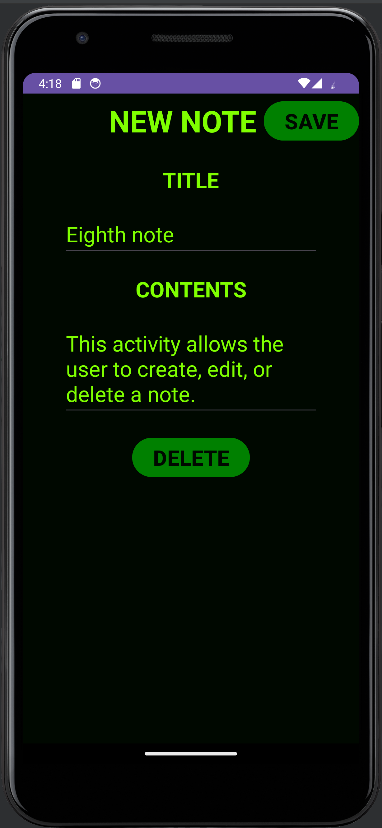
The UML diagram above shows the classes and relationships for a note-taking application I built that uses SQLite for relational database management. I utilized it in this notetaking application for persistent storage of user-generated data, allowing the user to save, edit, and delete notes. If the user closes the app or restarts their device, the changes are securely saved in the database and can be accessed across sessions.

SQLite Database Integration

SQLite Relational Database Integration

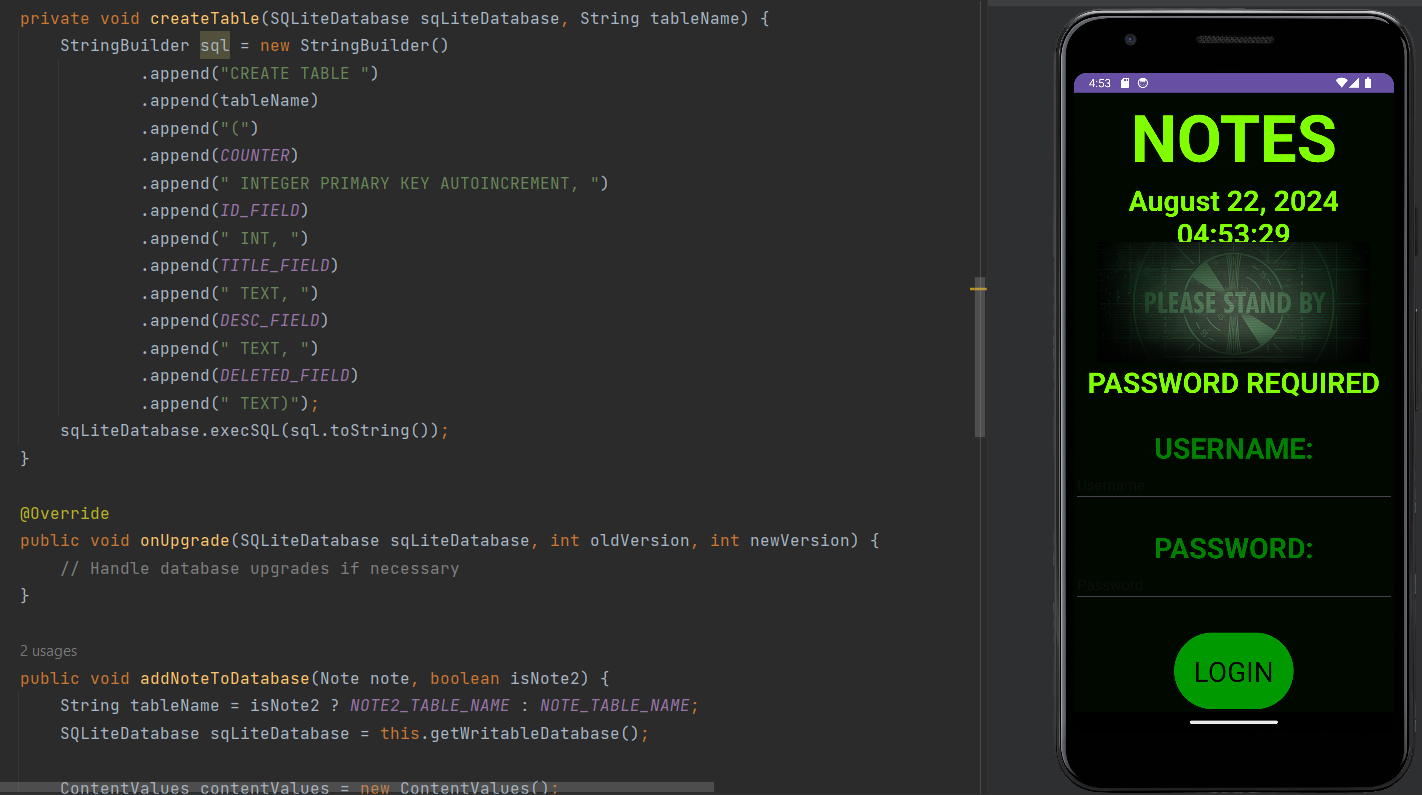
Users must be authenticated by entering the correct username and password to access their notes. This security feature prevents unwanted users from viewing sensitive material. The application follows MVC architecture for modularization and scalability, and handles multiple users with unique usernames and passwords. I also updated the UI to have a time stamp running in a separate UI thread, in order to avoid it interfering with the main thread.
alamo
A.I. Android Application for Image Identification in Kotlin
This extracurricular project began as a camera and video application, but I eventually integrated a TensorFlow Lite machine learning model for image identification. To learn about interacting with hardware components on an Android device, I made an application that utilizes the camera and microphone to take pictures and record audio and video. I started building it in Java with the Camera2 API, but decided to switch mid-build to Kotlin because of its null safety features.

In Java, it’s common to get a null pointer exception when a variable is accessed and not pointing to an object. In Kotlin, types are non-nullable by default. This was my first application using Kotlin so I had to adapt to a new syntax for this project.

I’m using the Jetpack library CameraX, which comes with an API to integrate the camera feed into my app. I updated dependencies in the Gradle script files, declared camera and audio permissions in the manifest, and set up the UI in a new way than I’ve done before to display the camera preview and bottom sheet that contains the photo gallery.

Video and Microphone permissions

I wanted to continue evolving my camera and video application, so I integrated a TensorFlow Lite model into my video application so it now uses artificial intelligence to identify famous North American architecture.

TensorFlow is a machine learning platform and library that allows users to create machine learning models. TensorFlow Lite was developed by Google to run on mobile and edge devices. I’m still using CameraX for the image processing, so the program completes a frame-by-frame analysis of the video and feeds it into the AI model to classify images.

The application is similar to the video camera app I had built previously, but now when you point the video camera at a famous building in the United States, the program identifies the building and displays its name at the top of the screen.
classifier
disney

Machine Learning Model

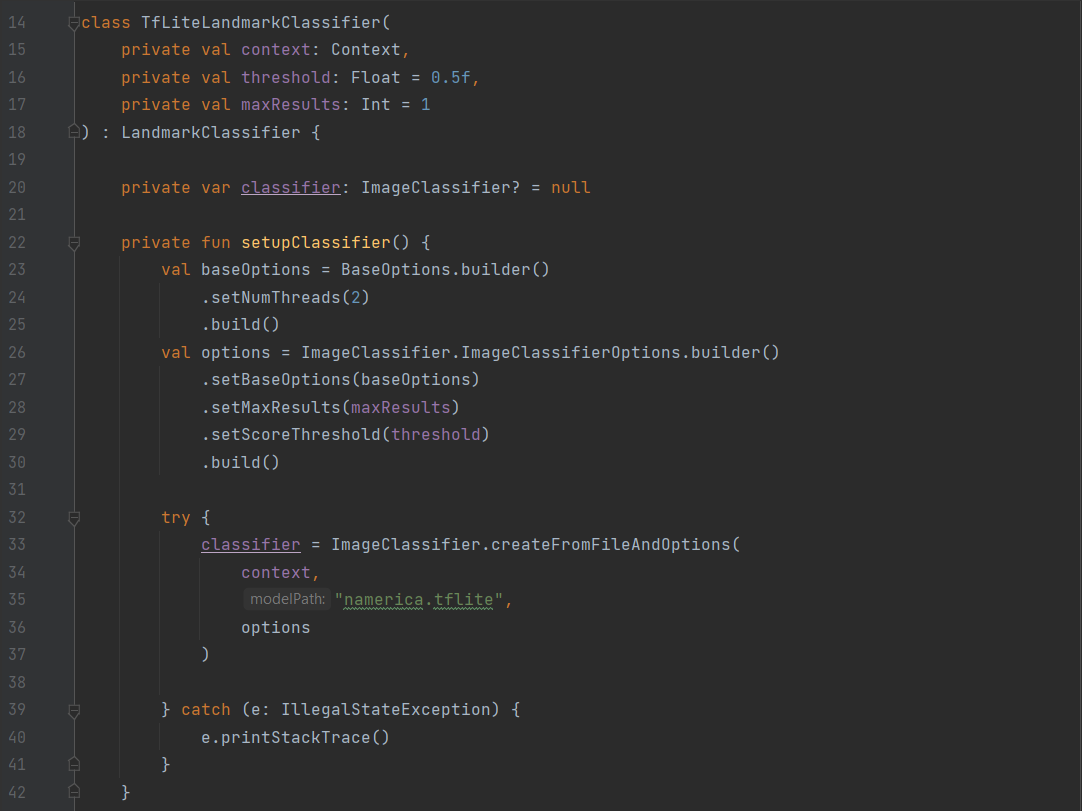
The TfLiteLandmarkClassifier class implements the LandmarkClassifier interface and has a private function named setupClassifier that uses the TensorFlow Lite library for image identification.

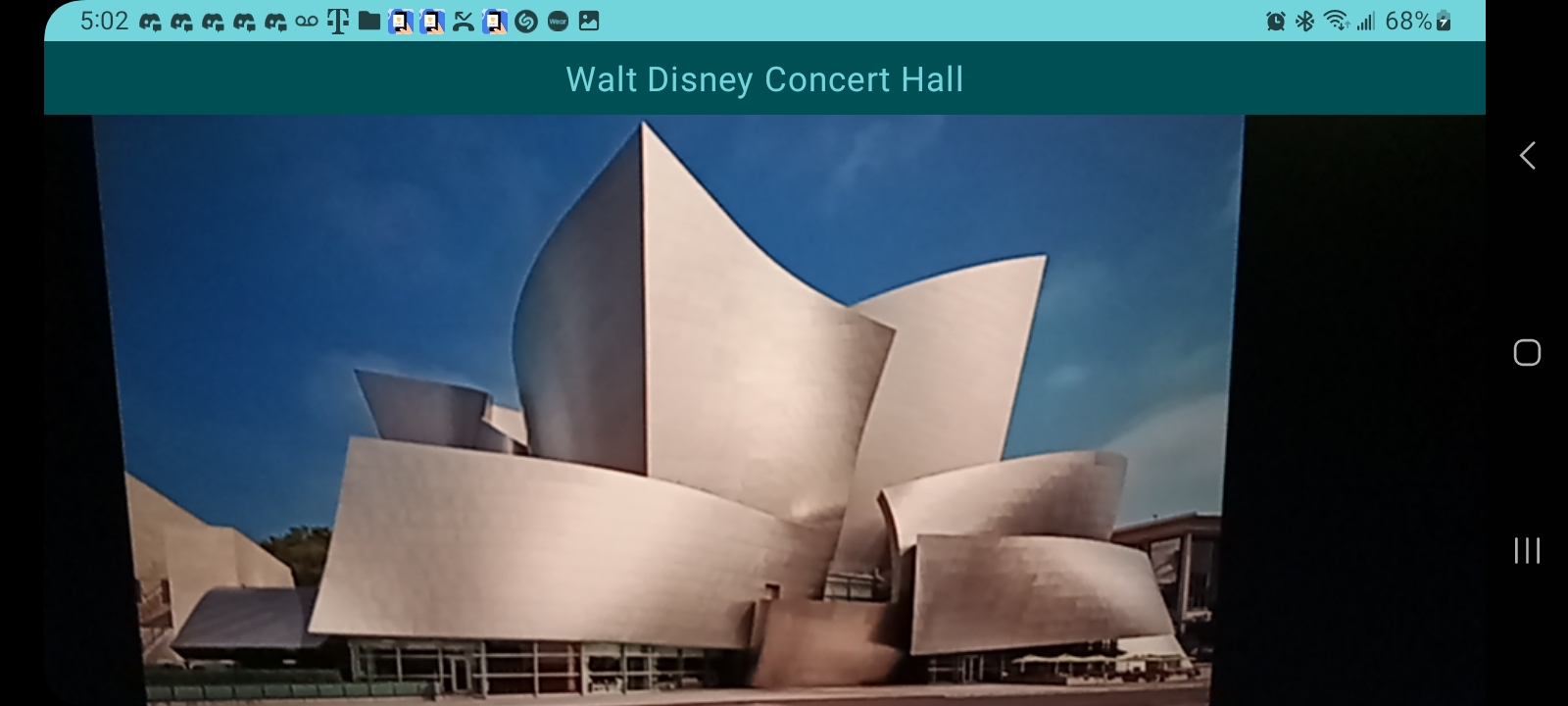
The image to the left shows the result of viewing a building with the mobile device's camera while running the ChazAI mobile application. The program does a frame-by-frame analysis of the video. Because the model has been trained on images of famous architecture in North America, the image is recognized as the Walt Disney Concert Hall.

This program could potentially be used with different models that have been trained on different data sets, which could allow it to identify different types of images. Instead of buildings, I would be interested in expanding this project to be able to identify potentially cancerous tumors before they become dangerous, in order to give faster treatment to cancer patients.

GitHub LogoGitHub
SecureNotes
Secure Note Android Application with SQLite Relational Database
This is another extracurricular project that I developed outside of school. After learning the basics of mobile application development in Android Studio, I wanted to expand my skills by integrating SQLite for a persistent database, and a user authentication system for security.

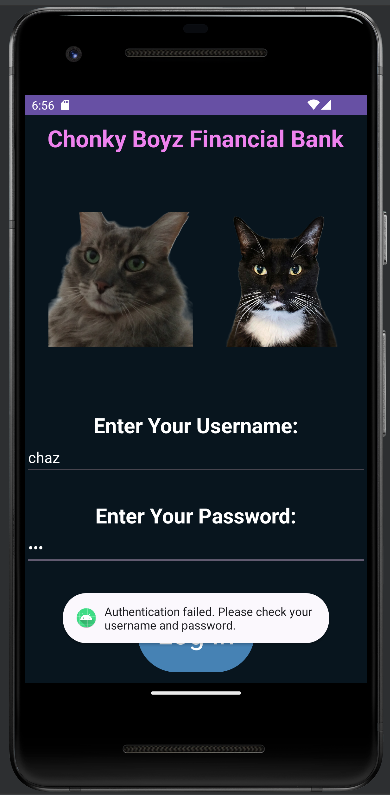
When the user runs the application, they are greeted with a login screen that prompts the user to enter a username and password, which are stored in a SQLite database.

Multithreading in Java

If the user enters an incorrect username and password combination, they are denied access to the rest of the app. If the user enters a correct username and password combination, they are directed to a new screen that allows the user to view and enter notes.

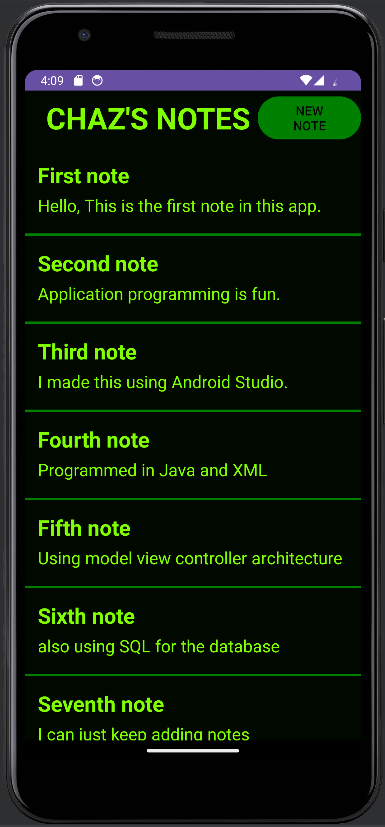
The individual notes are stored in a SQLite database, so they are persistent between sessions. The user can create a new note or edit an existing note, and even if they log out or close the application, the notes will be saved and available to the user across sessions.

I also updated the UI to have a time stamp running in a separate UI thread, in order to avoid it interfering with the main thread.
savingsAccount
savingsAccount
loginFail
loginFail
Chonky Boyz Financial Bank
This is another extracurricular project that I developed outside of school. It's a multithreaded, secure mobile banking application built using Java and XML in Android Studio.

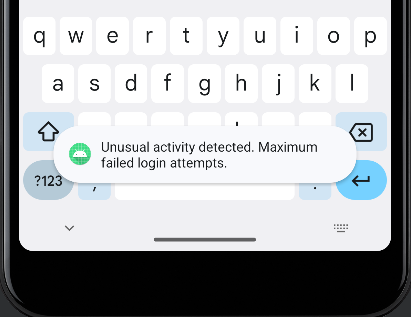
The user must be authenticated by entering the correct username and password in order to view their bank accounts. If the user enters the incorrect combination three times, an "unusual activity" alert is triggered.

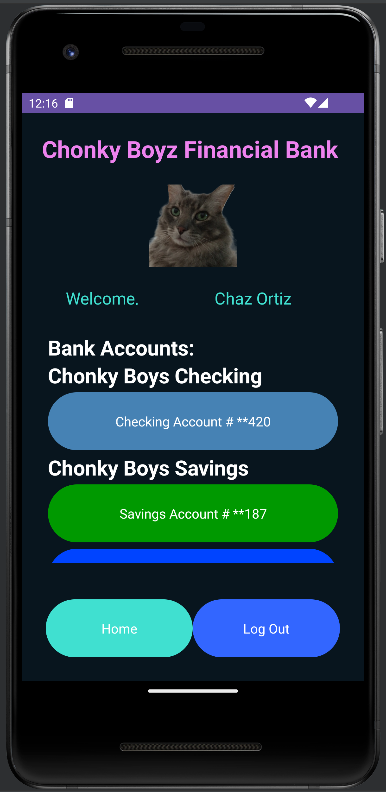
Once the user enters the correct username and password, they're taken to an "Accounts" activity screen, which greets the user with their name and allows them to scroll and select an account.

The log out returns the user to the login screen and clears their credentials, so the user must re-authenticate to log in again.

User Authentication

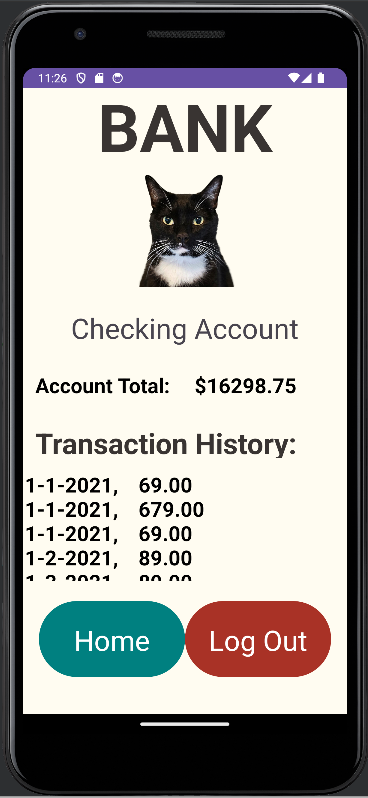
When the user selects an account, they are taken to an "Account Details" activity screen where they can view their account total and transaction history.

Because I built this application before I learned how to use SQL databases, the transaction history is saved in a .txt file in the assets folder of the Android Studio project, like I learned in school. I would like to implement a database in the future as a fun upgrade. I also used a summation algorithm to calculate the account total.

This screen also has buttons that allow the user to either return to the previous screen or log out, which clears their credentials.

savingsAccount
savingsAccount
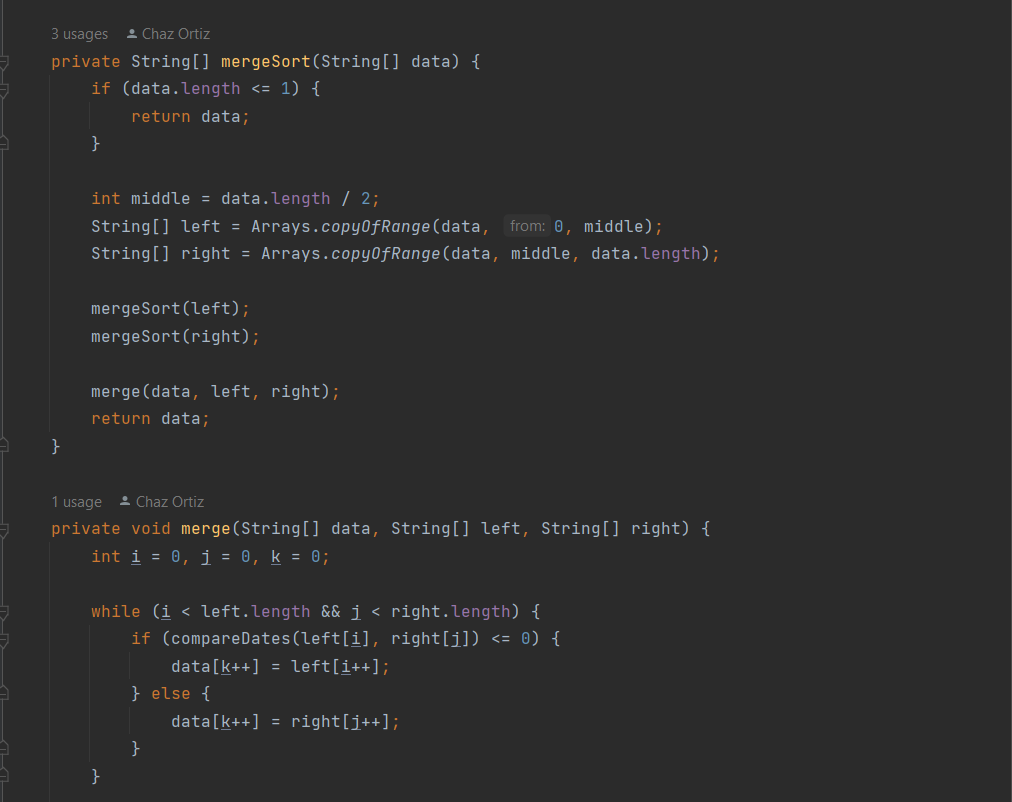
Merge Sort

Merge Sort Algorithm

While building the Chonky Boyz Financial Bank application, I drew from my domain knowledge from when I used to work at USAA, a major banking and insurance company. Because transactions are processed in real-time and not in a sorted order, I wanted to implement a sorting algorithm in order to display transactions sorted in reverse chronological order for the user.

I decided to use Merge Sort because it is a stable and efficient algorithm with a predictable time complexity of O(nlogn). Stability ensures that transactions with the same key (e.g., timestamp) retain their relative order, which is crucial for preserving data integrity in financial applications.

Additionally, Merge Sort's divide-and-conquer approach makes it well-suited for handling large datasets, as it can be implemented to work seamlessly with external storage or distributed systems. This efficiency and reliability make it ideal for organizing unsorted transaction data in a clear and user-friendly manner.

GitHub LogoGitHub

Rowdyhacks IX Hackathon


During a hackathon, Rowdyhacks IX, I created an updated version of the application that is designed for easier accessibility for the visually impaired. I used a light-colored UI with large text and buttons, and also added a feature that displays the date in a separate UI thread in order to avoid interfering with the main thread.

I attended the hackathon to participate in workshops and learn about other aspects of computer science that I was not actively studying in school but still curious about, such as computer networking, AI, and computer vision. As a personal challenge to myself, I submitted the updated, multithreaded, Chonky Boyz mobile banking application, specifically customized to optimize accessibility for the visually impaired.

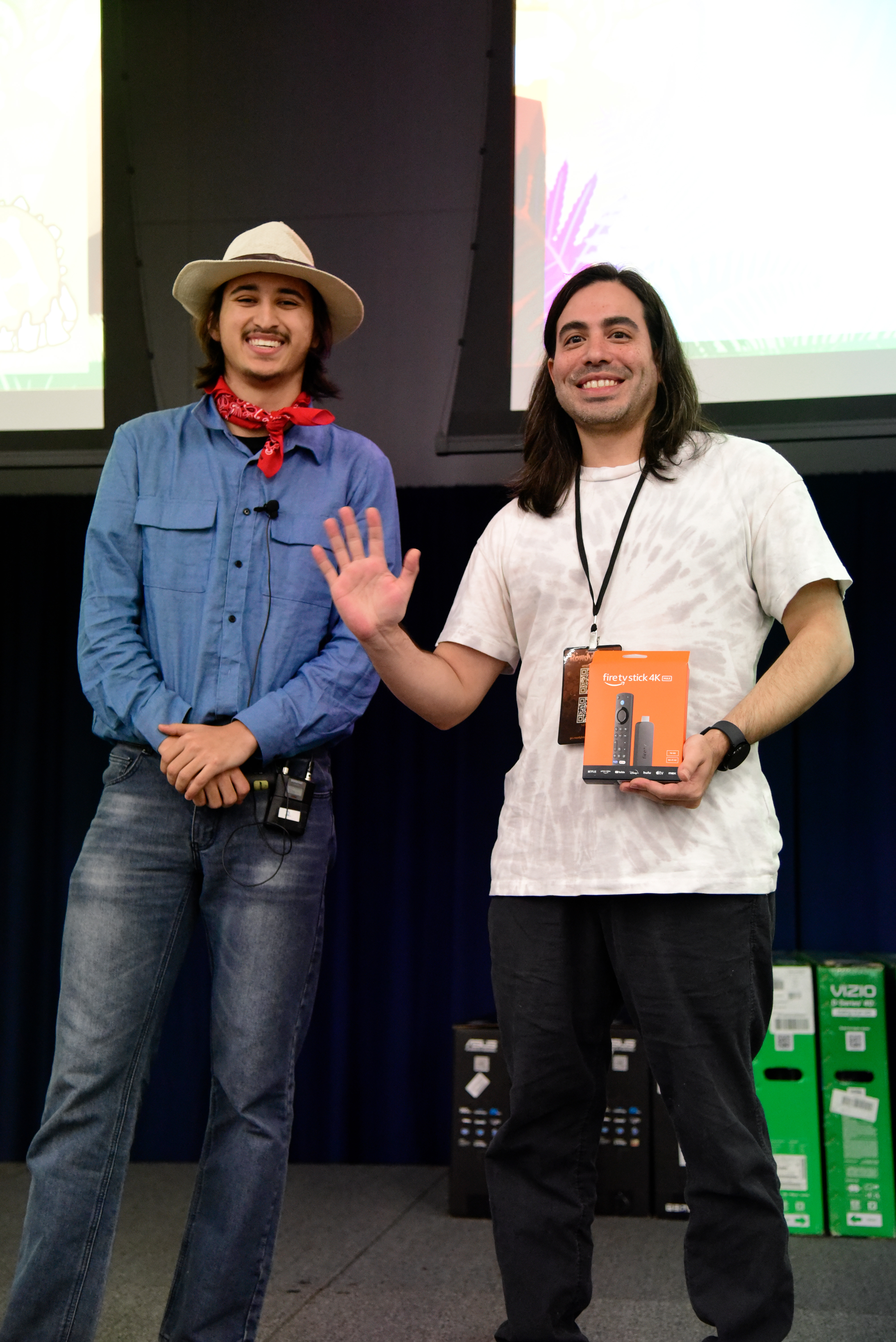
I was a one-person team and I decided to compete late into the hackathon, so I had to put everything together myself including all of the code and the submission form itself. I was happily surprised to be recognized by the judges and walk away with an Amazon Fire TV!
rowdyHacks1
Chaz Ortiz